Published August 5, 2025. Updated September 29, 2026 with current Duo and CISA guidance.
Cisco Duo and a YubiKey work together as a phishing-resistant sign-in: Duo decides who is allowed in, and the YubiKey proves it is really that person, with a tap on a physical key that a fake website cannot trick. For businesses that already use Duo, adding security keys for the accounts that matter most is one of the strongest upgrades available.
Cisco Duo has been one of the most reliable multifactor platforms we have used over the years. For the clients who run it, approving a login has become second nature.
Is text-message MFA secure?
Read the video transcript
Is text-message MFA secure?
The short answer: text-message codes are much better than a password alone. But they are the weakest kind of multifactor authentication you can use. Here is why.
Why text codes can be stolen
A text code is not locked to one phone. First, an attacker can talk your carrier into moving your number to their own SIM card. That is called a SIM swap, and your codes go straight to them. Second, your texts may not stay on your phone at all.
Google Voice shows your messages on every device and web browser signed in to your account. Apple's Text Message Forwarding copies your iPhone texts to your Mac and iPad, and Android's Messages for web does the same on a computer. Every one of those devices now receives your codes.
If any one of them is compromised, your text-message MFA is compromised too. Third, a fake login page can simply ask you for the code, and use it before it expires.
What CISA recommends instead
The Cybersecurity and Infrastructure Security Agency, CISA, calls text and voice codes a last resort. Its top choice is phishing-resistant MFA, such as a security key you tap. For most small businesses, the practical next step is an authenticator app.
It shows a time-based one-time password, called TOTP: a six-digit code that changes every sixty seconds, and only works for that short window. Or it sends a push request where you match a number before you approve.
What we recommend: Cisco Duo and YubiKey
That is why we recommend Cisco Duo. With Duo Push, a login request pops up on your phone. Tap the green check to approve, or the red X if it wasn't you, so a stray request is easy to spot and deny. Duo also goes beyond cloud apps. It adds MFA to Windows and Mac computer sign-ins, and to remote desktop access.
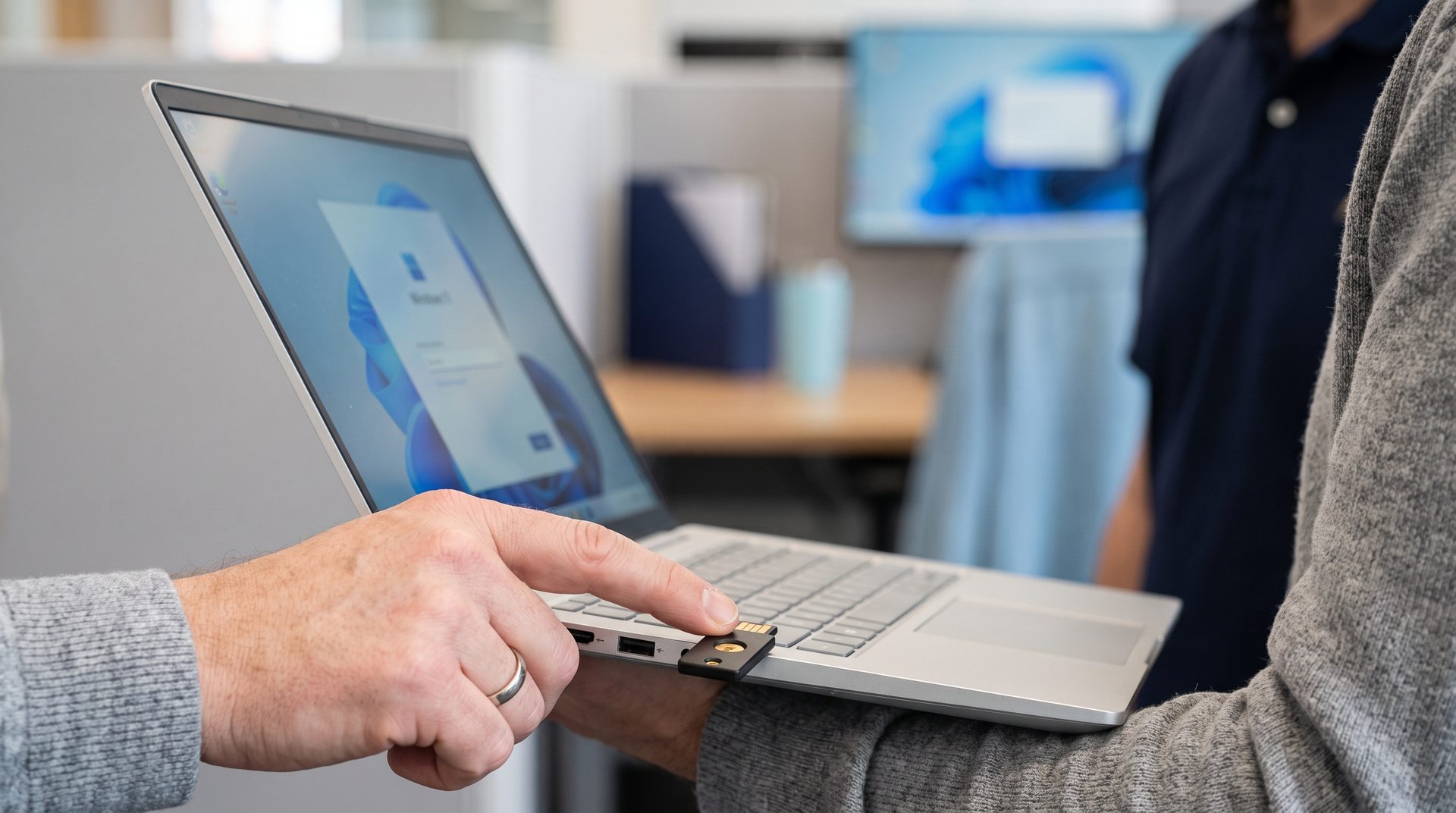
For your most sensitive accounts, pair Duo with a YubiKey, a security key you simply tap.
Making MFA easy for your team
At Triton, we keep MFA simple: one standard method, easy tokens, and no extra steps. We handle the setup, so it works the first time, and every time. If your business still relies on text codes, it's time to move up. Read more at tritoncomputercorp.com.
How does Duo use a YubiKey?
Duo supports YubiKeys in several ways (Duo YubiKey documentation):
- As a security key (WebAuthn/FIDO2). The user taps the key to approve the sign-in. An administrator enables the “roaming authenticator” method in Duo policy.
- For Duo Passwordless. A FIDO2 key with a PIN or fingerprint replaces the password entirely for supported apps (Duo Passwordless).
- As a hardware token for passcodes. YubiKeys that support OATH-HOTP can generate one-time passcodes. A single key that does both security-key sign-in and passcodes must be a YubiKey 5 or 5 FIPS.
Why is a security key harder to phish than a push or a text code?
A security key checks the real website address before it answers, so a lookalike login page gets nothing it can reuse. CISA calls FIDO/WebAuthn authentication “the gold standard” and notes that push bombing, SIM swaps and phone-network attacks do not apply to it (CISA fact sheet).
CISA ranks the other methods below it: app codes or push approvals with number matching next, plain push approvals after that because users can be worn down by repeated prompts, and text or voice codes as a last resort. In Duo, number matching is called Verified Duo Push, and it only works in the Universal Prompt (Duo policy guide).
Which YubiKey works with Duo?
Duo confirms the YubiKey 5, 5 FIPS, Security Key and Bio series work with it (Duo).
- YubiKey 5 series: FIDO2, smart card, one-time passcodes and more, in USB-A, USB-C, NFC and Lightning versions (Yubico). The choice when you also need passcodes.
- Security Key series: FIDO2 and U2F over USB or NFC (Yubico). A simpler key for security-key sign-in only.
- Bio series: FIDO2 with a fingerprint reader, useful where a PIN is inconvenient.
What has changed in Duo recently?
- The traditional Duo Prompt reached end of support on March 30, 2024 for most applications. Current features, including Verified Duo Push and passkeys, need the Universal Prompt (Duo Universal Prompt guide).
- Keys enrolled long ago as U2F that were not re-enrolled as WebAuthn are not offered in the Universal Prompt; those users enroll the key again.
- Duo states it will end Duo Windows Logon support for Windows 10 in October 2026 (Duo Windows Logon FAQ). Computers still on Windows 10 need a plan now.

How do you roll out security keys without frustrating staff?
The most common fix we make in small offices is password resets and multifactor setup. MFA does not have to be a maze: with simple tokens and one standard method, staff sign in securely without odd phone calls or extra steps.
- Start with the accounts attackers want most: administrators, finance, payroll and anyone who approves payments.
- Give each person two keys, one for daily use and a spare kept somewhere safe, and enroll both.
- Decide in advance what happens when a key is lost: who verifies the person, and how a temporary bypass is issued and removed.
- Standardize on one key model and one sign-in method so help requests stay simple.
Sources
To see where your organization stands on these controls, take the Check Your Security Readiness assessment.
Let's Discuss Your IT Needs
Triton Technologies delivers managed IT services, cybersecurity, and IT support for businesses across New England. Contact our team today to start a conversation about your technology environment.